How to Hire the Perfect WordPress Developer for Your Project
Looking for a WordPress developer but not sure where to start? Business owners and marketing managers often struggle to find the right talent for their website needs. This guide will help you identify qualified WordPress developers who can deliver your project on time and within budget. We’ll cover how to assess essential technical skills and evaluate developer portfolios to make the right hiring decision.
Understanding Your WordPress Development Needs
Assessing Your Project Requirements
Ever jumped into a WordPress project without knowing exactly what you need? Yeah, that’s a recipe for disaster.
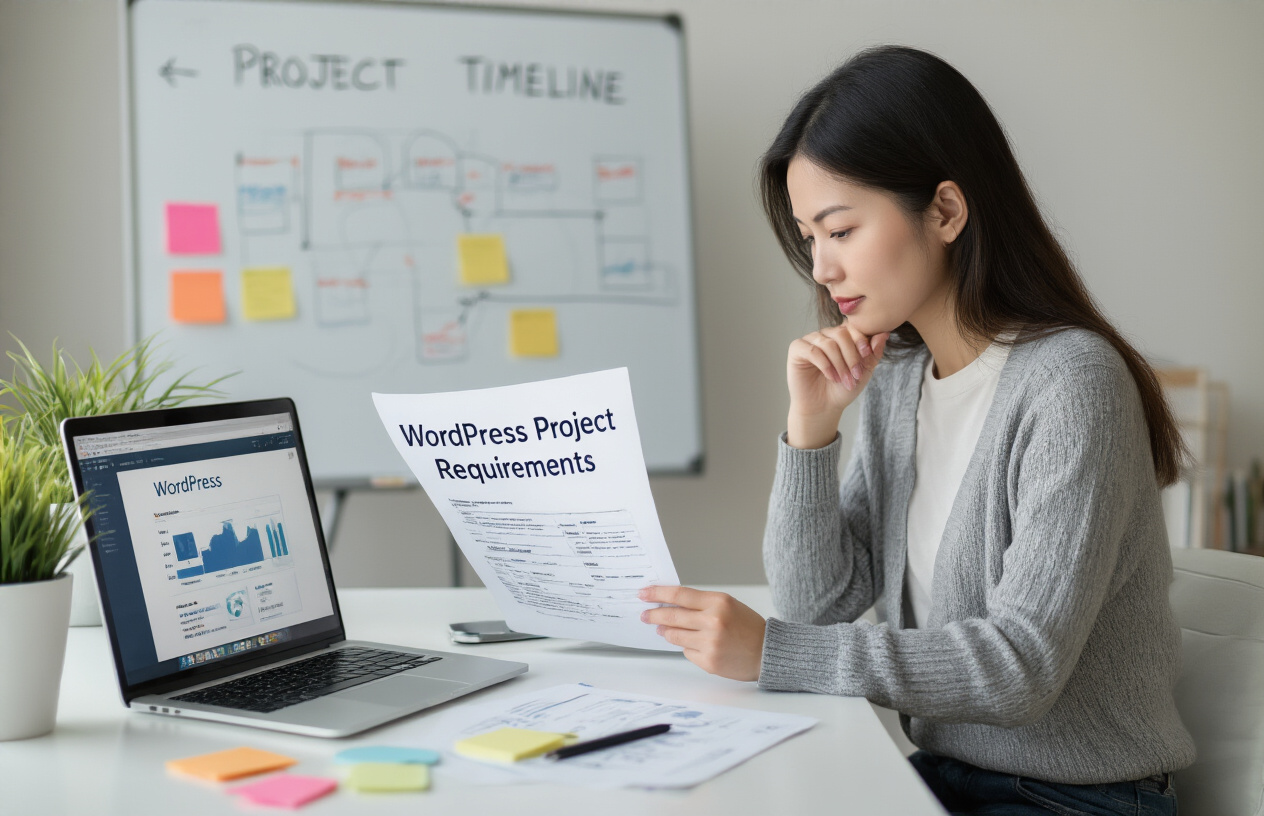
Before you start hunting for your WordPress wizard, you need to get crystal clear on what you’re building. Are you creating a simple blog, an e-commerce store, or a complex membership site? Each requires different skill sets.
Make a list of all the features you want. And I mean ALL of them. Shopping carts, booking systems, user forums, subscription management – whatever your site needs to do, write it down. This isn’t just helpful for you; it’s gold for developers who need to understand your vision.
Don’t forget about the content management side either. Who’ll be updating the site after it’s built? If it’s non-technical staff, you’ll need intuitive admin interfaces and possibly some custom dashboard elements.
Determining Technical Specifications
This is where we get a bit nerdy, but stay with me.
Your technical specs will make or break your developer search. Do you need custom plugins? Theme development from scratch? Or maybe modifications to existing themes? Each requires different expertise.
Think about integrations too. Need your site to play nice with your CRM, email marketing platform, or payment processor? That’s specialized knowledge right there.
Here’s a quick breakdown of common technical requirements:
| Requirement | Description | Skill Level Needed |
|---|---|---|
| Custom Theme | Unique design and functionality | Advanced |
| Plugin Development | Custom functionality beyond existing plugins | Advanced |
| WooCommerce Setup | Basic e-commerce functionality | Intermediate |
| Complex E-commerce | Custom product types, shipping rules, etc. | Advanced |
| API Integrations | Connecting with external services | Intermediate-Advanced |
Setting Clear Project Goals
Goals aren’t just what you want built – they’re what you want accomplished.
What’s the purpose of this website? Increase sales? Generate leads? Build community? Your goals will shape everything from design to functionality.
Set measurable targets too. Want to increase conversion rates by 15%? Reduce cart abandonment? Get specific so your developer understands what success looks like.
Timeline goals matter just as much. When does this need to launch? Are there phases to the project? Be realistic – rushing a WordPress build never ends well.
Establishing Your Budget
Money talk isn’t fun, but it’s necessary.
WordPress development costs vary wildly. A basic site might run $1,000-$3,000, while complex custom builds can easily hit $20,000+.
Your budget dictates your options. With limited funds, you might need to prioritize features or consider a phased approach.
Remember to budget for:
- Initial development
- Ongoing maintenance
- Hosting costs
- Security updates
- Future enhancements
Don’t just consider the cheapest option. That $20/hour developer might end up costing you more than the $100/hour expert who does it right the first time.
The sweet spot? Find a developer whose rates align with their expertise and your budget constraints. Sometimes it’s worth stretching your budget for quality work that won’t need fixing later.
Essential Skills to Look For

A. Core WordPress Development Expertise
Finding a WordPress developer who knows their stuff isn’t just about hiring someone who can install WordPress and activate a theme. You need someone who lives and breathes WordPress code.
A truly skilled WordPress developer has mastered PHP—it’s the backbone of WordPress. They should be able to write clean PHP code without constantly Googling basic functions. Ask them about hooks, specifically actions and filters. If they start sweating, that’s a red flag.
HTML, CSS, and JavaScript aren’t optional skills—they’re essential. Your developer should be comfortable customizing front-end elements without breaking a sweat. And don’t forget about responsive design! Nothing screams “amateur hour” like a website that looks terrible on mobile.
The WordPress REST API knowledge separates the pros from the hobbyists. A developer who knows how to work with it can build more dynamic, interactive websites that feel modern and responsive.
B. Custom Theme Development Abilities
Pre-made themes are fine for basic sites. But let’s be honest—if you’re hiring a developer, you probably want something unique.
A quality WordPress theme developer doesn’t just modify existing themes. They build from scratch when needed, creating something tailored to your exact requirements. They should understand theme hierarchy, template files, and the WordPress template system inside and out.
Ask potential hires if they use starter themes or frameworks like Underscores or Genesis. Their answer tells you a lot about their workflow and efficiency. Also, check if they’re familiar with child themes—essential for maintaining updates without losing customizations.
C. Plugin Development Knowledge
The plugin ecosystem is what makes WordPress so powerful. Your developer should know when to use existing plugins and when to build custom ones.
Custom plugin development requires understanding WordPress’s plugin architecture. They should be able to explain how they’d approach building functionality that hooks into WordPress core without messing up future updates.
Ask them about their experience with shortcodes, widgets, and custom post types. These are the building blocks of extended WordPress functionality. A blank stare here means trouble down the road.
D. Security Best Practices
WordPress security isn’t optional—it’s critical. Your developer needs to be paranoid about security (in a good way).
They should follow basic security practices: properly sanitizing and validating data, preparing SQL queries safely, and implementing nonce verification. If these terms don’t mean anything to them, keep looking.
Experience with security plugins is valuable, but more important is their understanding of security principles. They should be familiar with common WordPress vulnerabilities and how to prevent them. Regular updates should be part of their maintenance routine—no exceptions.
E. Performance Optimization Experience
Slow websites kill conversions. Period. Your WordPress developer needs to be obsessed with speed.
Look for experience with caching mechanisms—both server-side and browser caching. They should understand how to minify and combine CSS and JavaScript files, optimize images, and implement lazy loading.
Database optimization knowledge is crucial for larger WordPress sites. Ask about their experience with database cleanup, query optimization, and reducing database calls.
A great developer will mention tools like GTmetrix or PageSpeed Insights and be able to interpret the results to make meaningful improvements. If they talk about performance as an afterthought, they’re not the developer you need.
Where to Find Qualified WordPress Developers

A. Specialized WordPress Job Boards
Finding top WordPress talent isn’t like looking for a needle in a haystack if you know where to search. Specialized WordPress job boards are goldmines for connecting with developers who live and breathe WordPress.
Sites like WPHired, WordPress Jobs, and Jobs.WordPress.net attract developers who specifically want WordPress projects. These aren’t just any developers – they’re folks who have chosen to specialize in the platform you need.
The beauty of these niche job boards? The filtering is already done for you. Everyone there knows WordPress, so you’re not wasting time sorting through generalists who “could probably figure it out.”
Most of these boards let you post detailed requirements, expected budget ranges, and whether you need someone for a quick fix or a long-term relationship. Be specific about what you need – custom plugin development? Theme customization? Full site build? The more details you provide, the better matches you’ll attract.
B. Freelance Platforms
Not feeling the specialized job boards? Major freelance platforms like Upwork, Fiverr, and Freelancer.com are swimming with WordPress talent at every price point.
The main advantage here is volume and verification. Thousands of WordPress developers compete for projects, and most platforms have rating systems that act as built-in references. You can see exactly what other clients thought about working with them.
Here’s a pro tip that most people miss: don’t just post a job and wait. Search for developers proactively and invite them to apply. Look for:
- Portfolios with projects similar to yours
- High completion rates (80%+)
- Detailed WordPress skills in their profile
- Recent activity (developers who haven’t logged in for months might be unavailable)
The biggest mistake I see clients make on these platforms is choosing solely based on price. The cheapest developer often becomes the most expensive option when you factor in revisions, delays, and sometimes starting over with someone else.
C. WordPress Community Forums
The WordPress community is tight-knit and incredibly helpful. Forums like WordPress.org Support Forums and WordPress StackExchange aren’t just for solving problems – they’re excellent places to spot talent.
Watch for users who consistently provide thoughtful, in-depth answers about topics relevant to your project. These are often developers with deep WordPress knowledge who take pride in their craft.
Most forums allow private messaging. When you spot someone impressive, reach out directly. Even if they’re not available, WordPress developers often know other WordPress developers and might recommend someone perfect for your project.
Reddit communities like r/WordPress and r/ProWordPress also hide some gems. Many developers hang out there to stay current with trends and help others.
D. Development Agencies
Sometimes your project needs more than one person can handle, or you need a team with diverse skills. That’s where WordPress development agencies shine.
Agencies typically offer the full package – developers, designers, project managers, and QA specialists all working together. This can be a massive advantage for complex projects with tight deadlines.
When vetting agencies, look beyond their client list. Ask specific questions about:
- Their development workflow
- How they handle revisions
- Their quality assurance process
- What happens after launch
Many agencies specialize in specific industries or project types. Finding one that regularly works in your niche means they’ll understand your requirements faster and bring relevant experience to the table.
The trade-off is usually cost – agencies typically charge premium rates compared to freelancers. But for mission-critical projects where failure isn’t an option, that investment often pays for itself in reliability and reduced stress.
Evaluating Developer Portfolios

Analyzing Previous WordPress Projects
The proof is in the pudding, folks. A developer can talk all day about their skills, but their portfolio reveals the truth.
When reviewing portfolios, look beyond the pretty screenshots. Dig deeper. What types of WordPress sites have they built? A developer who’s only created simple blogs might struggle with your complex e-commerce project.
Check if they’ve worked on projects similar to yours. Need a WooCommerce store? Find someone who’s built several successful ones. Want custom post types and advanced taxonomies? Make sure they’ve done that before.
Pay attention to UI/UX choices. Are their sites intuitive and user-friendly? Do they look professional across different devices? A good WordPress developer understands both function and form.
Also, notice if they explain their role clearly. Some developers show team projects without specifying what parts they actually built. Ask specific questions like, “What challenges did you face with this project and how did you solve them?”
Checking Code Quality
Code quality separates the pros from the amateurs. Bad code might work initially but will cause headaches down the road.
Ask for GitHub access or code samples. Don’t know code yourself? That’s okay. Look for these signs of quality:
- Documentation: Good developers comment their code and provide documentation
- Organization: Files and functions should follow logical naming conventions
- Security practices: Ask how they handle WordPress security concerns
- Performance optimization: Their code should load quickly and efficiently
Red flags include excessive use of plugins when custom code would be more efficient, outdated coding practices, or security vulnerabilities.
When reviewing code, ask them to explain why they made certain decisions. Their answers will reveal their thought process and expertise level.
Reviewing Client Testimonials
Testimonials tell you what it’s actually like to work with this person. Read between the lines.
Don’t just skim the glowing reviews on their website (which are obviously cherry-picked). Check third-party platforms like Upwork, LinkedIn recommendations, or Google reviews.
Look for comments about:
- Communication style and responsiveness
- Ability to meet deadlines
- How they handle feedback and revisions
- Problem-solving skills
- Post-project support
Contact previous clients directly if possible. A quick email asking about their experience can reveal insights you won’t find in written testimonials.
Notice any patterns in the feedback. Does every client mention how they missed deadlines but delivered quality work? Or do they consistently get praised for clear communication? These patterns tell you what to expect.
Remember that a developer with amazing technical skills but poor communication might not be the right fit, especially for long-term projects. The perfect WordPress developer brings both technical expertise and professional work habits to the table.
The Effective Interview Process

A. Technical Questions to Ask
You’ve finally lined up some promising WordPress developers for interviews. Great! But how do you separate the real WordPress wizards from those who just know how to talk the talk?
Start with these technical questions:
“Can you explain the WordPress hook system and give examples of actions versus filters?”
This is WordPress 101. If they fumble here, that’s a red flag. Good developers will explain how actions let you add functionality at specific points while filters modify existing content.
“How would you secure a WordPress site against common vulnerabilities?”
They should mention things like limiting login attempts, using security plugins, keeping themes and plugins updated, and proper file permissions. If they just say “install Wordfence” without explanation, dig deeper.
“Tell me about a complex WordPress problem you solved recently.”
Their answer reveals their experience level and problem-solving approach. Do they understand the WordPress database structure? Can they debug effectively?
“How do you optimize WordPress site performance?”
Look for mentions of caching, image optimization, database cleanup, and minimizing plugin usage. Bonus points if they bring up server-level optimizations.
B. Problem-Solving Scenarios
Theoretical knowledge is one thing. Practical application is another. Throw these scenarios at them:
“Our site loads slowly on mobile devices. How would you diagnose and fix this?”
Good candidates will walk through a methodical troubleshooting process: checking page size, running speed tests, examining mobile-specific issues, and suggesting concrete solutions.
“We need to migrate content from an old CMS to WordPress. What’s your approach?”
Their answer should include data assessment, planning the migration path, handling media files, redirects, and testing procedures.
“A client needs a custom post type with specific taxonomies and fields. How would you implement this?”
Listen for whether they’d code it manually or use a plugin like Advanced Custom Fields. Either can be valid, but they should explain their reasoning.
C. Communication Skills Assessment
Technical skills aren’t enough. WordPress developers need to translate geek-speak into client-friendly language.
Pay attention to:
How they explain technical concepts during the interview. If you’re confused by their explanations now, your clients will be too.
Ask them to describe a time when they had to explain a technical limitation to a client. Good developers find solutions, not just problems.
Give them a scenario: “Explain to a non-technical client why their request for ‘just a small change’ will actually take 10 hours.” Their response will show if they can manage expectations tactfully.
D. Cultural Fit Evaluation
The perfect WordPress developer isn’t just technically skilled—they need to mesh with your team and clients.
Ask about:
Their ideal working environment. Do they thrive in structured environments or prefer autonomy?
How they handle tight deadlines and changing requirements. WordPress projects are notorious for scope creep.
Their views on collaboration. Will they play nice with designers, content creators, and SEO specialists?
Previous client relationships. How do they handle feedback and criticism?
Their approach to ongoing learning. WordPress evolves constantly—are they keeping up?
Red Flags to Watch Out For

A. Unrealistic Promises
Ever had someone promise you the moon? In the WordPress development world, it’s a giant red flag.
When a developer guarantees they can build a complex e-commerce site with custom features in just three days, run the other way. Fast. Quality WordPress development takes time – proper planning, thoughtful coding, and thorough testing aren’t things you can rush.
Be especially suspicious of promises like:
- “I’ll get your site to #1 on Google in a week”
- “I can clone any premium theme for a fraction of the cost”
- “My code never has bugs”
Nobody – not even the most talented developers – can guarantee specific ranking results or perfect code. Honest developers will be upfront about timelines, potential challenges, and realistic outcomes.
B. Vague Answers About Experience
You ask: “Have you built membership sites before?”
They answer: “Oh yeah, I’ve done tons of websites.”
Notice the dodge? When developers can’t or won’t provide specific examples of similar projects, it usually means they lack relevant experience.
Good developers happily share details about their past work, the challenges they faced, and how they solved problems. They’ll point you to live examples or case studies. If they’re being shifty about their experience, they probably don’t have it.
C. Poor Communication
The preview of coming attractions is right there in your first interactions. If a developer:
- Takes days to respond to initial messages
- Sends error-filled, sloppy emails
- Doesn’t listen to your requirements
- Can’t explain technical concepts in understandable terms
…these issues will only get worse once you’ve hired them.
Communication problems lead to misaligned expectations, missed deadlines, and features that don’t match what you wanted. A great developer might not respond instantly, but they’ll be clear, professional, and attentive from the start.
D. Unwillingness to Sign Contracts
Any developer who balks at signing a proper contract is waving a massive red flag in your face. Professionals understand that contracts protect both parties.
A contract should outline deliverables, timeline, payment terms, and what happens if things go sideways. If they push back with “we don’t need all that formal stuff” or “let’s just keep it casual,” they’re either unprofessional or planning an easy exit when things get tough.
Never work without a contract. Period.
E. Extremely Low Rates
When someone quotes you a price that’s dramatically lower than everyone else, your first thought shouldn’t be “What a bargain!” but rather “What’s the catch?”
Suspiciously low rates usually mean:
- They’re inexperienced and don’t know their value
- They’re cutting corners on quality or security
- They plan to upsell you aggressively later
- They’re using stolen or nulled themes/plugins
Remember that old saying: if it seems too good to be true, it probably is. Good WordPress development is an investment. While you don’t need to choose the most expensive option, the cheapest one will likely cost you more in the long run through security issues, poor performance, or having to hire someone else to fix the mess.
Setting Up a Successful Working Relationship

Creating Detailed Contracts
The contract is your safety net. Skip it, and you’re basically jumping without a parachute.
A solid WordPress development contract needs to cover all the bases:
- Project scope with crystal-clear deliverables
- Payment terms (how much, when, and what happens if payments are late)
- Timeline with specific dates
- Ownership rights to the code and design
- Maintenance responsibilities after launch
- Cancellation terms that protect both sides
Don’t just grab a template online and call it a day. Customize your contract to address the specific needs of your WordPress project. Will you need ongoing updates? Plugin management? Security monitoring? Get it all in writing.
Remember that good contracts protect everyone involved—not just you. Your developer will appreciate knowing exactly what’s expected, when payment arrives, and how scope changes are handled.
Establishing Communication Channels
Nothing tanks a WordPress project faster than poor communication. Period.
Set up your communication system before writing a single line of code:
- Daily check-ins: Quick Slack messages or stand-up calls to remove roadblocks
- Weekly progress meetings: Zoom calls with screen sharing to review completed work
- Documentation hub: A central place (like Notion or Google Docs) where decisions are recorded
- Emergency protocol: How to reach each other when something breaks at midnight
Pro tip: Match your communication style to your developer’s preferences. Some devs are phone people. Others live in their project management tools. Find out early and adapt.
Setting Milestones and Deadlines
Breaking your WordPress project into bite-sized chunks makes the impossible suddenly possible.
Instead of saying “build me a website by next month,” create a roadmap like this:
- Week 1: Theme selection and basic installation
- Week 2: Homepage and primary page templates
- Week 3: Plugin integration and custom functionality
- Week 4: Content population and initial testing
- Week 5: Revisions and final testing
- Week 6: Launch and handover
Build in buffer time—development always takes longer than you think. And tie payments to these milestones, not arbitrary dates. Your developer stays motivated, and you see regular progress.
Implementing Feedback Processes
Feedback is the oxygen that keeps your project alive. But delivering it poorly can suffocate progress.
Create a structured system:
- Use visual feedback tools like Marker.io or BugHerd where you can click directly on elements
- Consolidate feedback in batches rather than sending one-off requests
- Prioritize changes (critical, important, nice-to-have)
- Reference the original requirements when providing feedback
The golden rule? Be specific. “Make it pop more” means nothing to a developer. “Increase the contrast ratio between the button and background” gives them actionable direction.
When your developer delivers something amazing, acknowledge it! Positive feedback builds momentum and creates a partnership mentality that pays dividends throughout the project.

Finding the perfect WordPress developer for your project requires careful planning and evaluation. By understanding your specific needs, looking for developers with the right skill set, and thoroughly assessing their portfolios, you can identify candidates who will deliver quality results. The interview process further helps you gauge their expertise, while awareness of red flags can save you from potential complications down the road.
When you’ve found your ideal WordPress developer, establishing clear communication channels, setting realistic expectations, and maintaining regular check-ins will foster a productive working relationship. Remember that the right developer isn’t just technically proficient but also aligns with your project vision and work style. Take the time to find this match, and your WordPress project will have the foundation it needs to succeed.